Windows only for now

LocalHub

Your links, snippets, files and an AI assistant behind one search bar, on your own PC.

Download for Windows

The installer isn’t signed yet, so Windows may warn you first: choose More info, then Run anyway.

Coming soon to iPhone, iPad and Android

Download for Windows on your PC.

One search bar. Everything behind it.

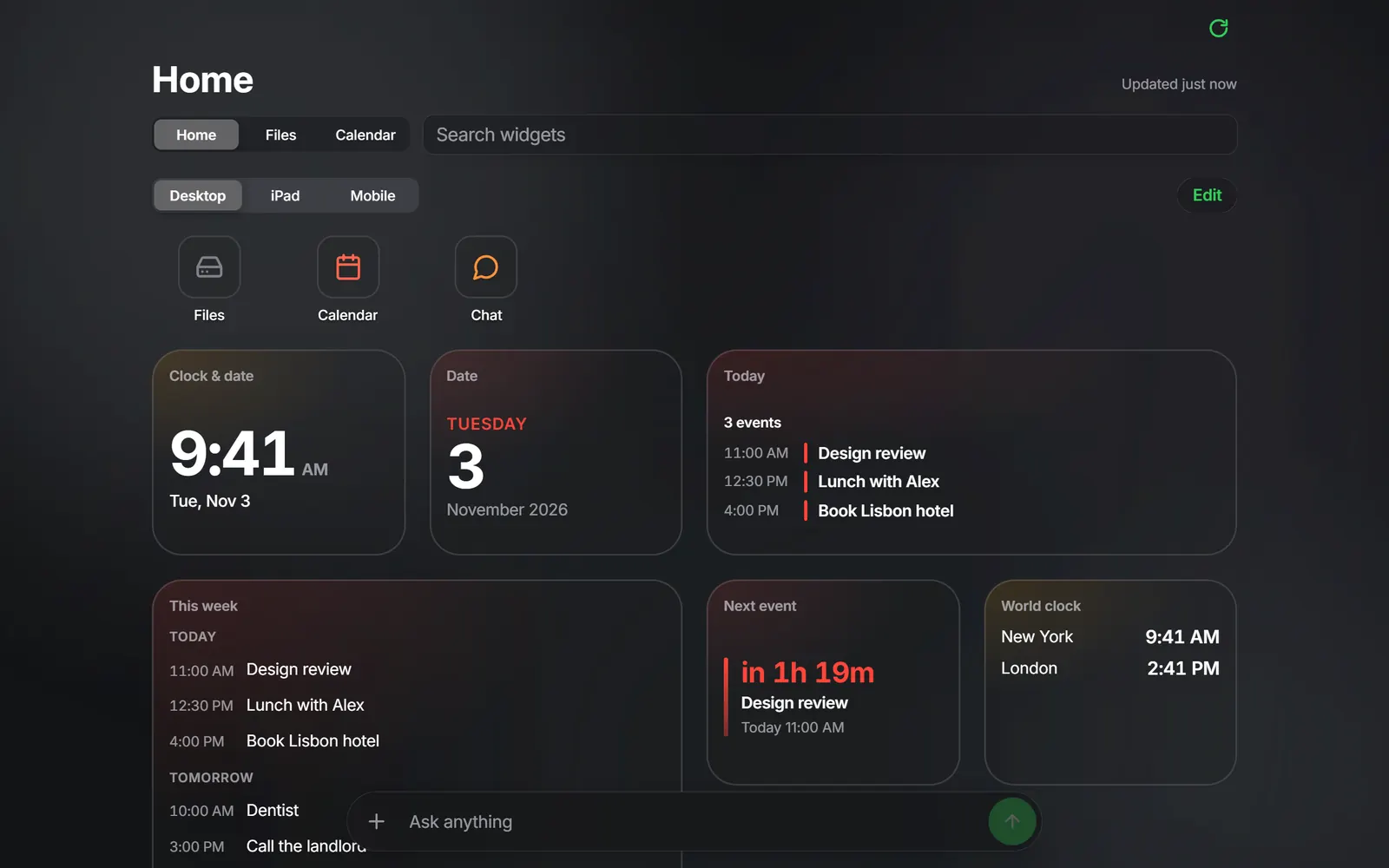
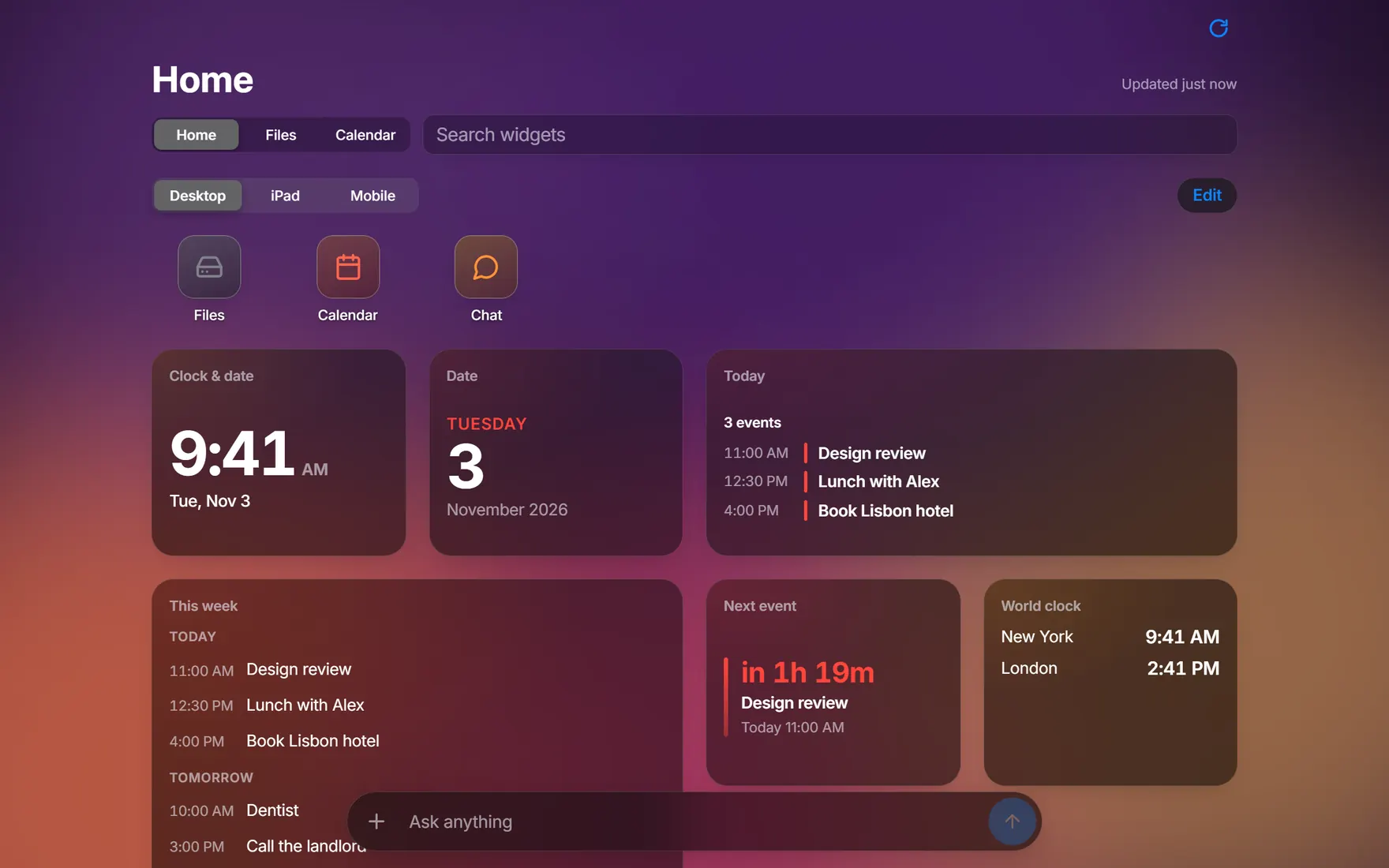
Your own start page: apps and widgets for the time, the date and your calendar, on the wallpaper you pick.
The Home screen in dark mode on a purple and orange wallpaper, with app icons and widgets showing the clock, the date, today’s events, this week, the next event and a world clock.
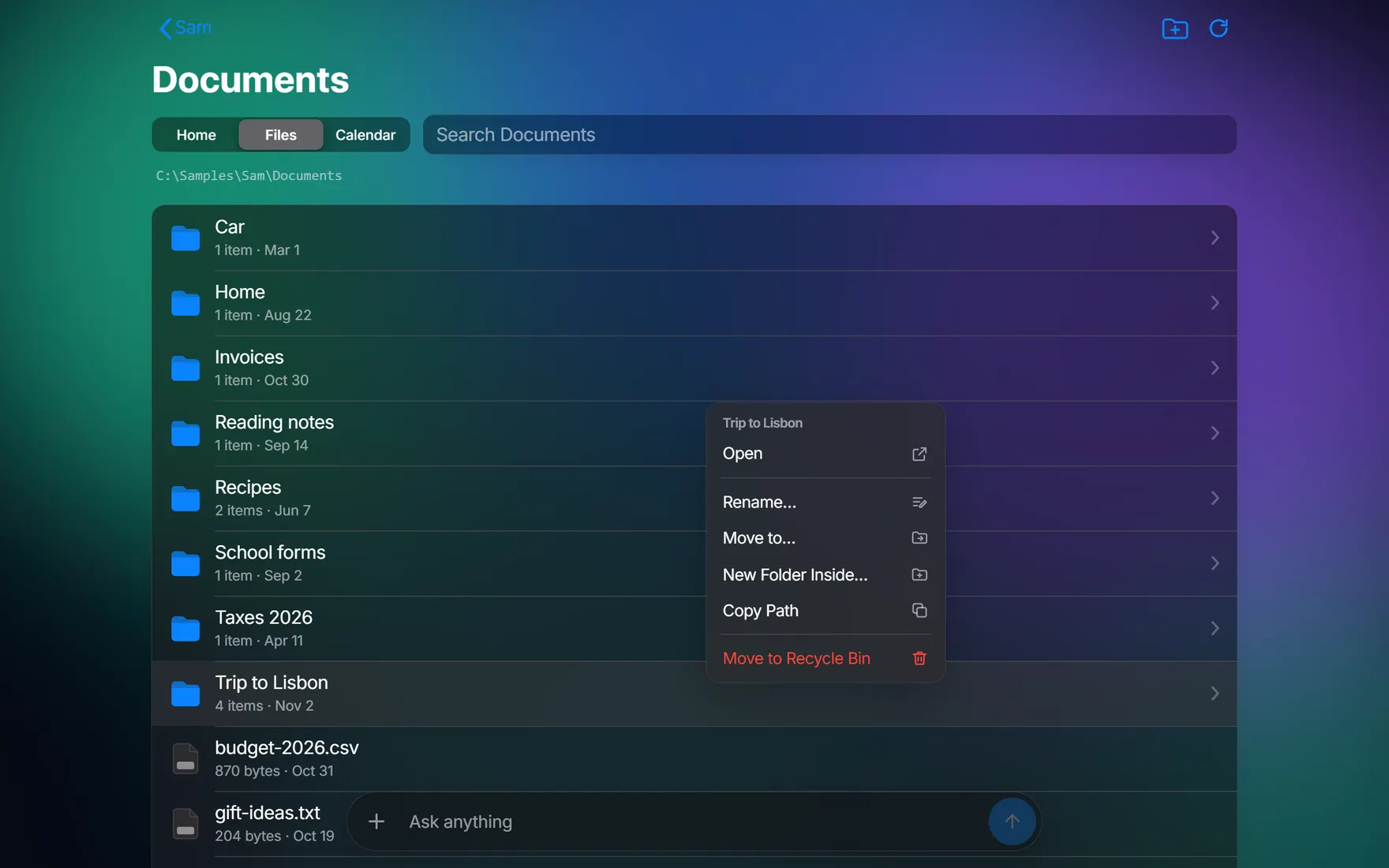
Browse the folders on your PC. Open, rename, move or download from the same window.
The Files tab showing a Documents folder with eight folders and a list of files, and a right-click menu open on the folder Trip to Lisbon: Open, Rename, Move to, New Folder Inside, Copy Path and Move to Recycle Bin.
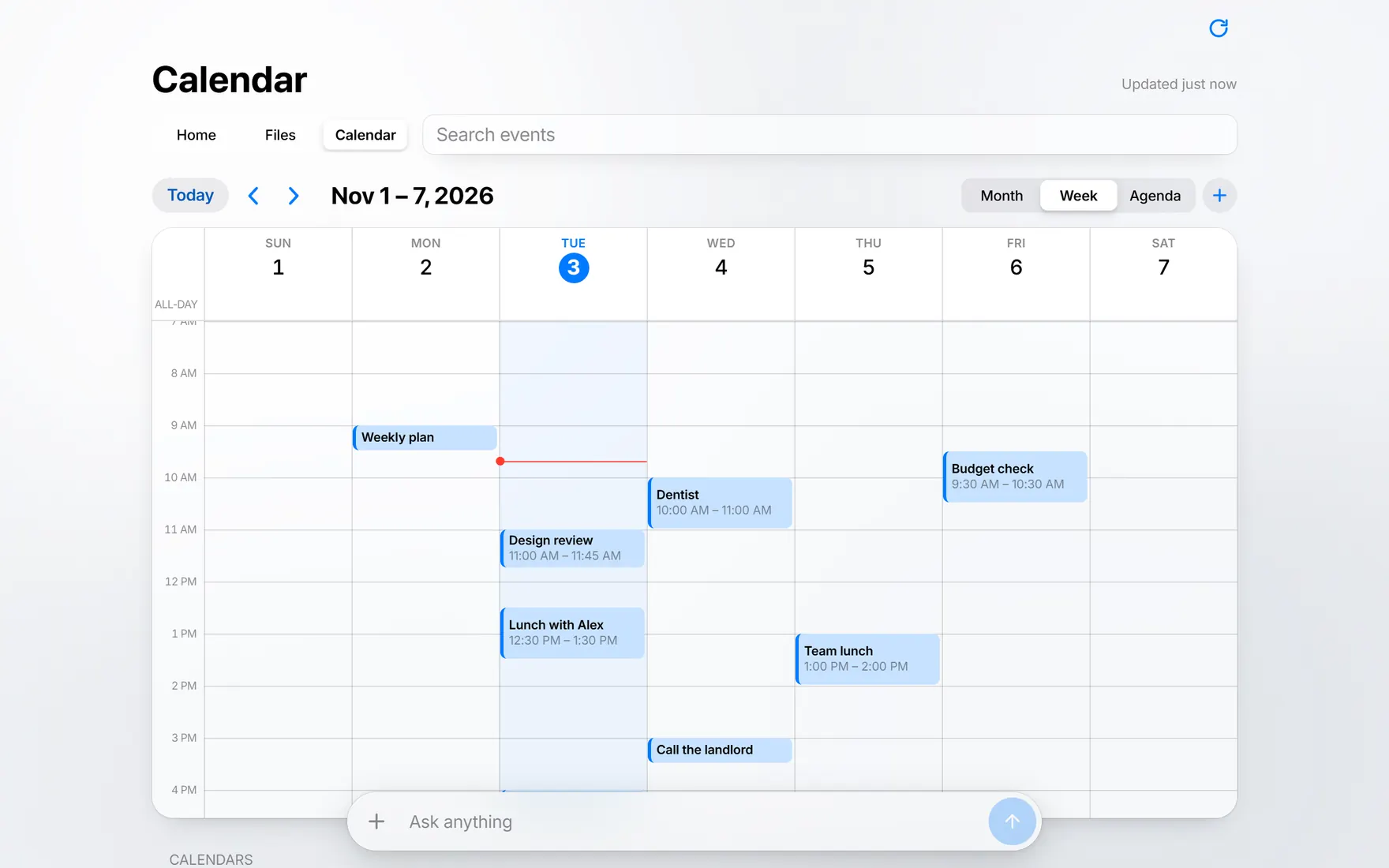
Month, week and agenda views. The assistant can keep it for you when you ask.
The Calendar tab in light mode on the week of November 1, with events such as Design review, Lunch with Alex and Dentist.
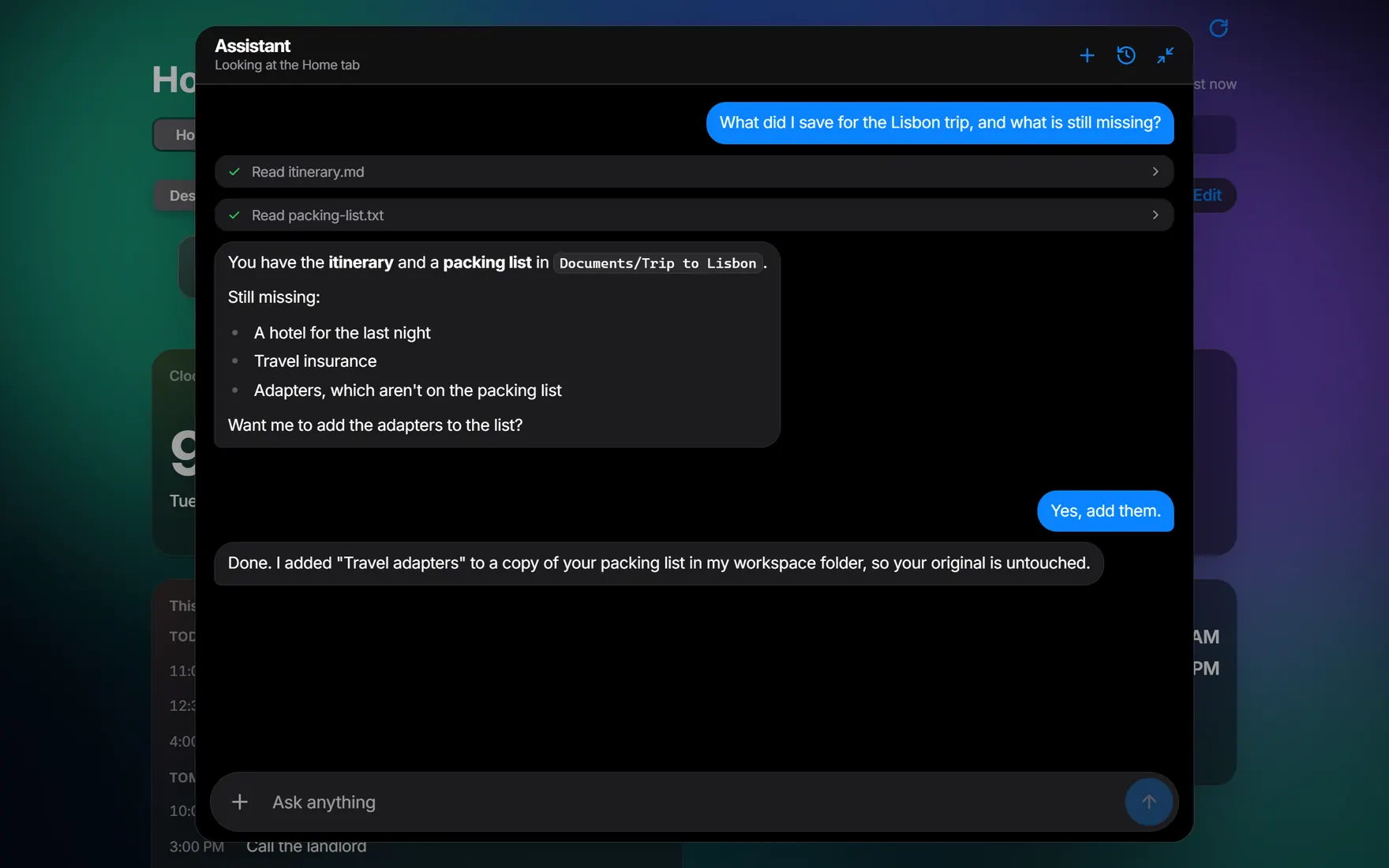
Ask in plain words. It reads your files, answers, and shows you each step it took.
A chat with the assistant. Asked what is saved for a trip to Lisbon, it reads two files and lists what is still missing, then adds travel adapters to a copy of the packing list.
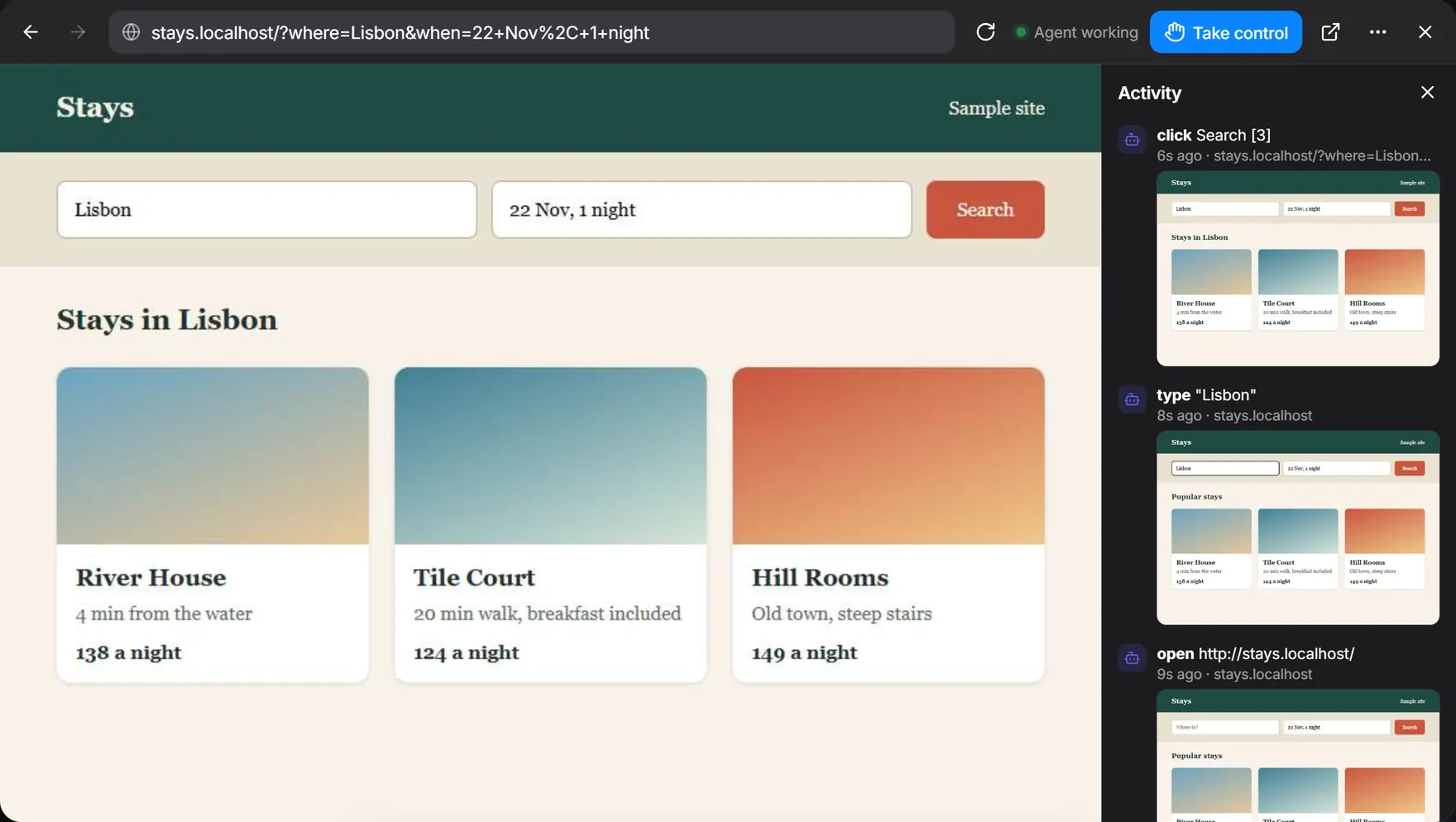
It works in a real Chrome you can watch and take over, with a log of every step.
The browser window showing a made-up stays website searched for Lisbon, with a Take control button at the top. Beside it, an Activity list shows the assistant’s steps with a small screenshot of each: open, type and click.
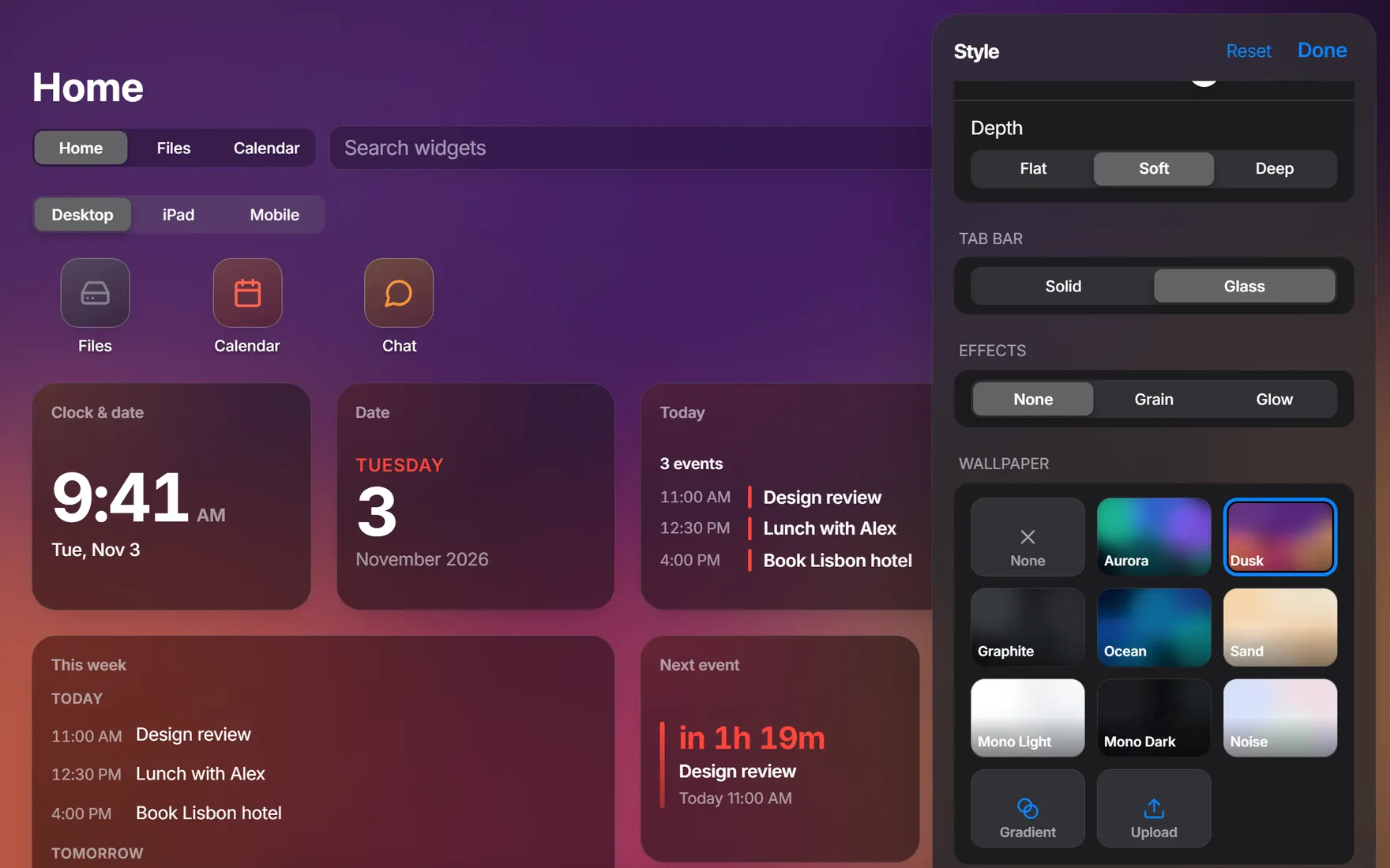
Themes, accent colours, fonts, widget styles and wallpapers, including your own.
The Style panel open beside Home, showing depth, tab bar and effects options and a grid of wallpapers, with Gradient and Upload buttons.

Every screen, set up your way.

Features

Stop hunting for things.

One bar for everything

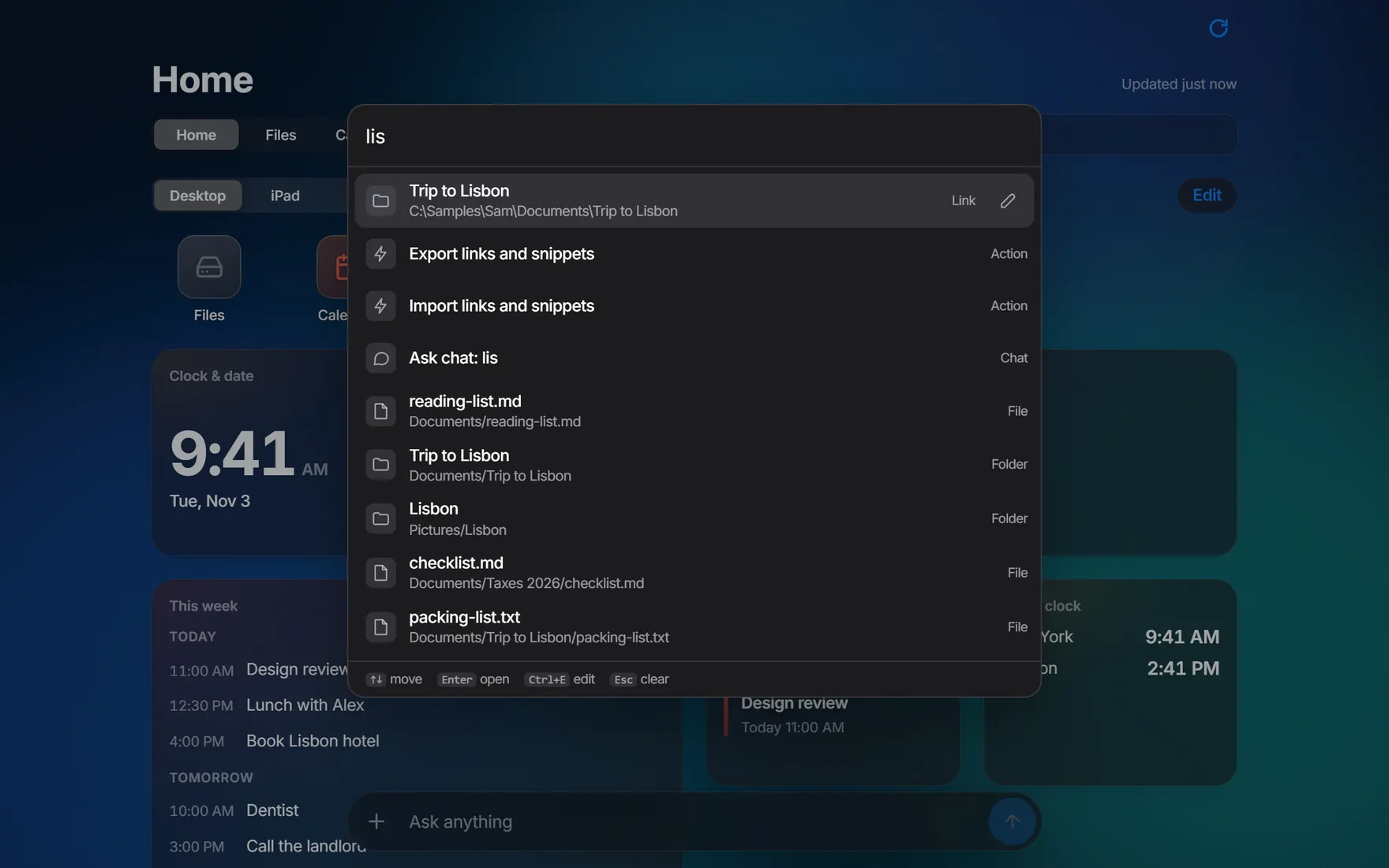
Press Ctrl K and type. Links, snippets, the files in your home folder, tabs and actions all answer in one list.

What you use most comes first

Anything else can go straight to the chat: pick Ask chat and what you typed is your question.
FilesCalendarWebBrowser asks before it acts

An assistant that can do the work

Ask in plain words. Out of the box, it asks before it sends, posts, buys or deletes anything. It runs through Claude Code, on your own Claude account.

  • Trip to LisbonLink
  • Team wikiLink
  • TrackerLink
  • Out of officeSnippet

Save it once

Keep web links, folders and Obsidian notes, plus any text you retype. Enter opens a link or copies a snippet. This bar runs on a made-up list.

It runs on your PC

No account to make. Your links, chats and settings are files on your PC.

Account
None needed
Who can reach it
This PC, until you change that
Your links, chats and settings
Files on your PC
What you ask the assistant
Goes to the AI you connect

LocalHub TV

Your hub, on the big screen.

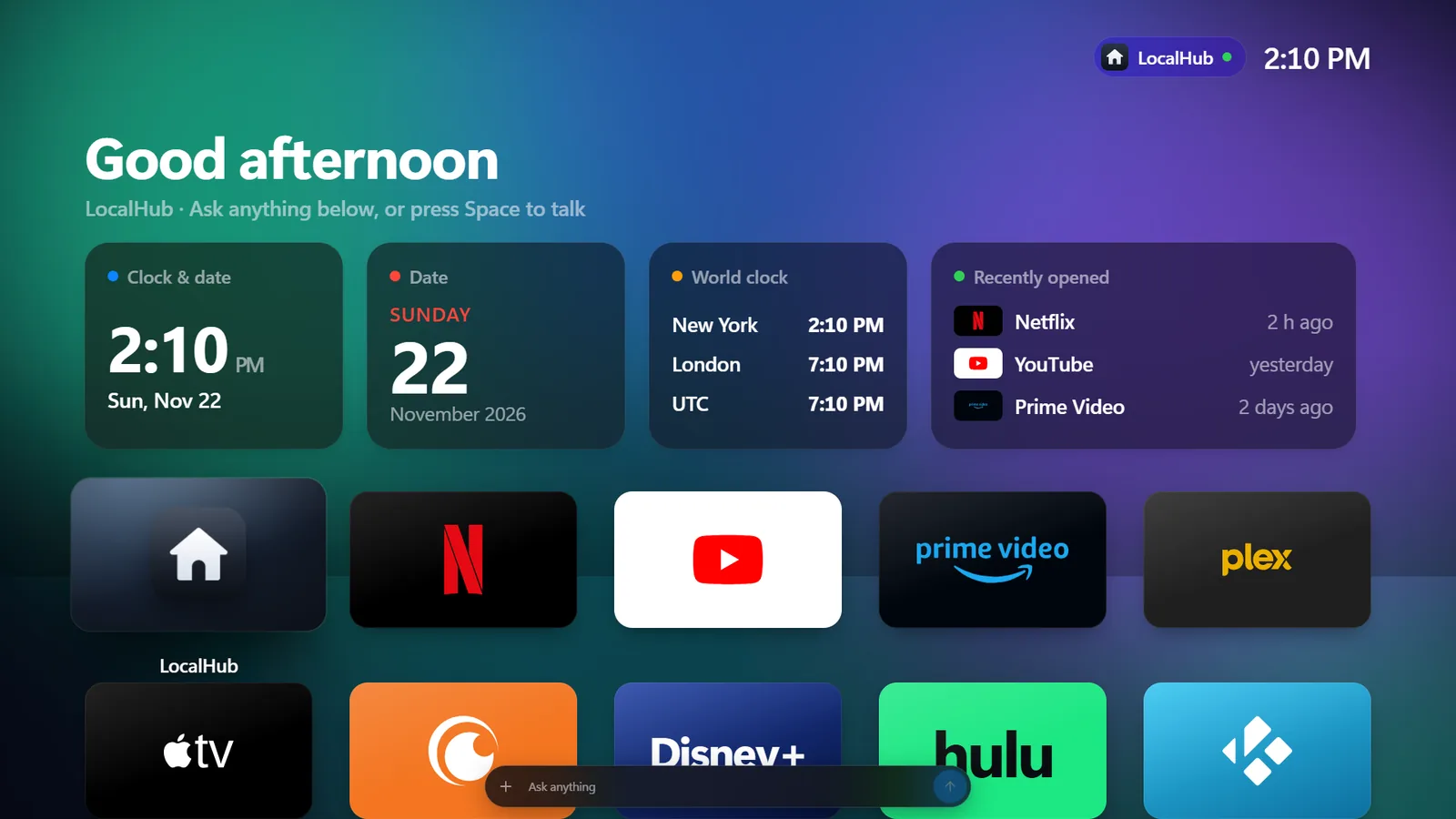
A familiar TV home screen with LocalHub inside: your hub’s widgets on top, your apps below, and the same assistant one button away. Your PC does the work.

LocalHub TV: “Good afternoon” above Home widgets for the clock, date, world clock and recently opened apps, with a grid of app tiles below and an Ask anything bar.

Coming soon to Fire TV

Set up in three steps

  1. Download

    Install the app on your Windows PC, with no admin prompt.

  2. Set it up

    Pick a name, who can reach it and how the assistant connects.

  3. Add your devices

    Open it from your other devices over Tailscale, with a passcode.

Read the setup guide

Your computer, one search away.

LocalHub on a desktop: Home with a clock, today’s events, this week and a world clock, all made-up sample content.

Desktop

Download for Windows

Windows only for now.

Download for Windows on your PC.

Mobile

Coming soon to iPhone, iPad and Android