 LocalHub
Your other devices
Open LocalHub in a browser on your other devices, over your own private network.
Set it up with Tailscale
Tailscale is a separate service that puts your own devices on one private network, and it has a free personal plan. LocalHub uses it to reach your PC from your other devices. LocalHub doesn’t install it for you.
- Install Tailscale on this PC and sign in.
- Install Tailscale on the other device and sign in with the same account.
- In LocalHub’s first-run setup, choose My tailnet and set a passcode of at least 8 characters. If the option is still grey, quit LocalHub from the tray and open it again.
- Find this PC’s Tailscale address on the Machines page of Tailscale’s admin console. It looks like
100.x.y.z. - On the other device, open a browser and go to
http://100.x.y.z:3100with your own address in it. Enter your passcode. That browser stays signed in for 30 days.
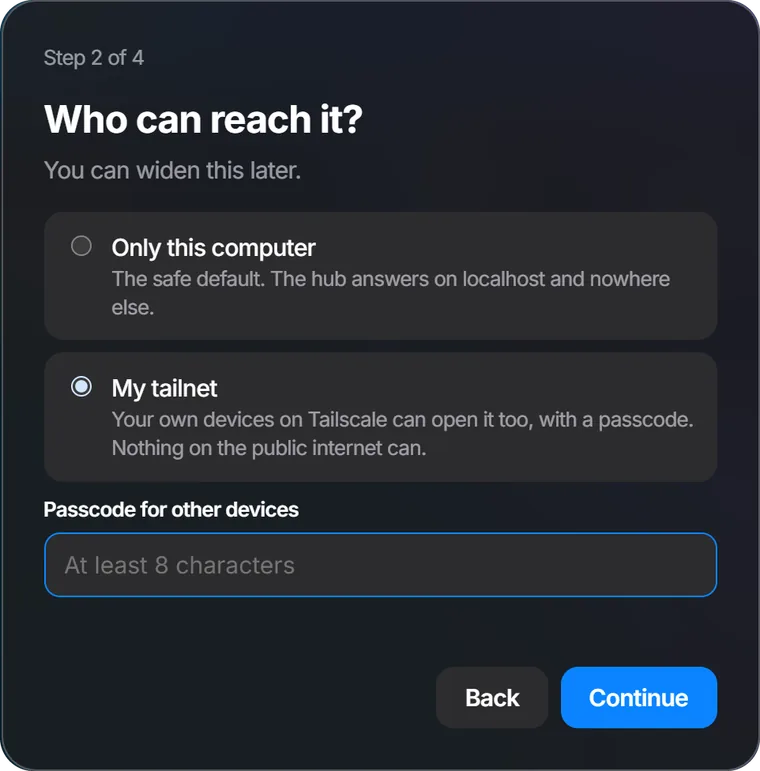
Already finished setup with Only this computer? There’s no screen for changing it yet.
How the passcode works
- The PC running LocalHub never asks for it. Every other device does.
- After 5 wrong tries from one address, that address is locked out for 15 minutes.
- A browser stays signed in for 30 days, then asks again.
The port is 3100 unless you chose another in the desktop app’s Settings. Use the 100.x.y.z address, because LocalHub doesn’t answer to the computer’s longer Tailscale name.
Phone and iPad
Coming soon
You’ll pair the app with your PC using a one-time code.