 LocalHub
Your look
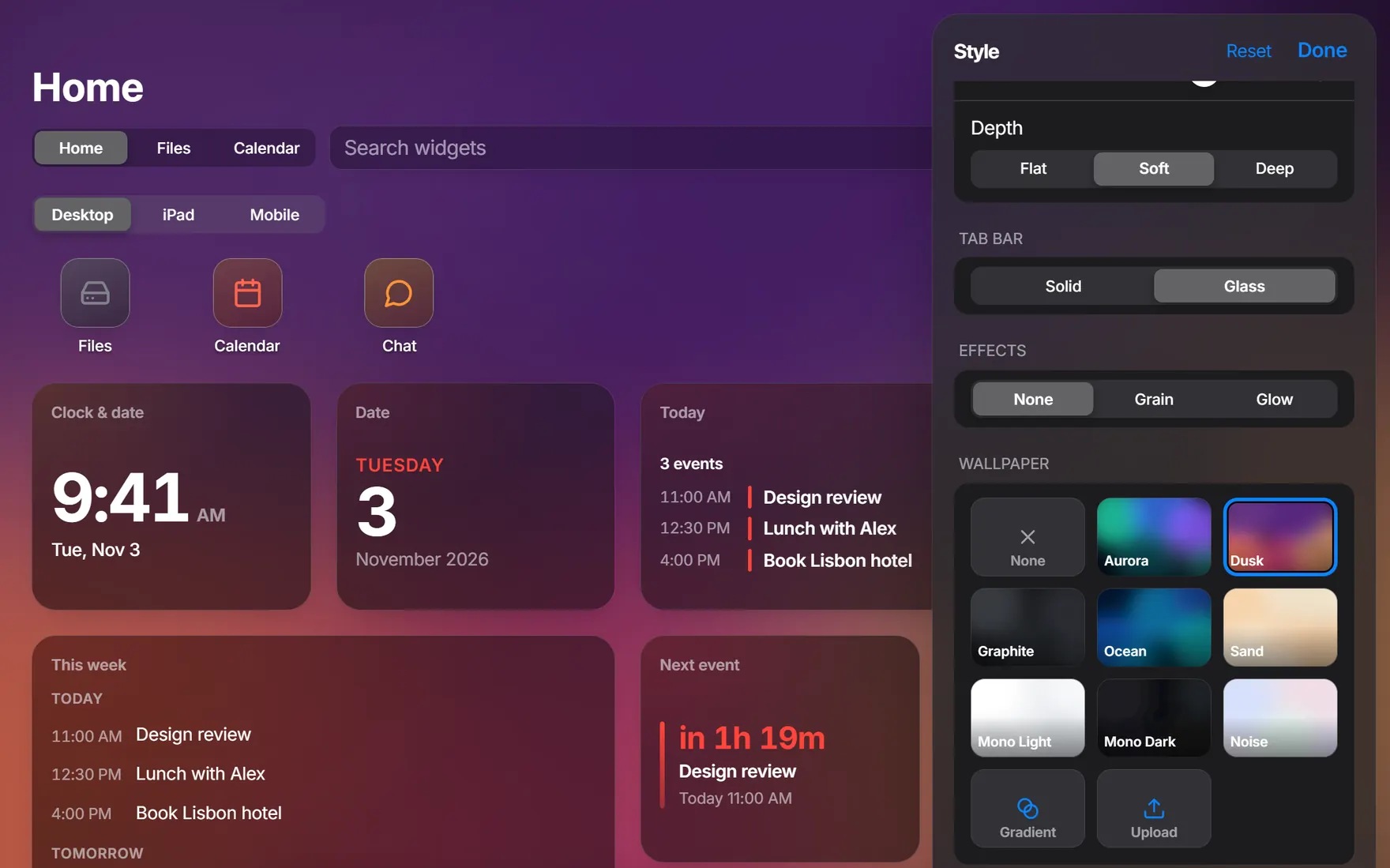
Colours, fonts, wallpaper and how widgets look, all in one panel.
Open it
Right-click empty space on Home and choose Edit Style…, press Edit Style while editing Home or find it in search. Changes show as you make them. Reset goes back to the start, and Done closes the panel.
You can also ask the assistant in plain words, and say “undo that” if you don’t like it.
What you can change
- Theme
- Apply a theme, export yours or import a theme file.
- Appearance
- Auto, Light or Dark.
- Text and Spacing
- Font: System, Rounded, Serif or Mono. Spacing: Compact, Regular or Roomy.
- Accent
- The colour of selected things.
- Widgets
- Solid, Glass or Outline, with sliders for blur, transparency and corners, and a choice of shadow.
- Tab bar
- Solid or Glass.
- Effects
- None, Grain or Glow.
- Wallpaper
- A built-in one, a gradient you make from 2 or 3 colours or a picture of your own.
Your own wallpaper
Upload a PNG, JPEG, WebP, GIF or AVIF of up to 10 MB. You can keep up to 40.
Save it or bring it back
Your Settings at the bottom of the panel has Undo, Export and Import.
- Export saves your settings, Home, pages and your files, with no keys. Wallpapers you uploaded stay out.
- Import takes a file of up to 40 MB and replaces your tabs, Home, pages, files and style. LocalHub asks first.